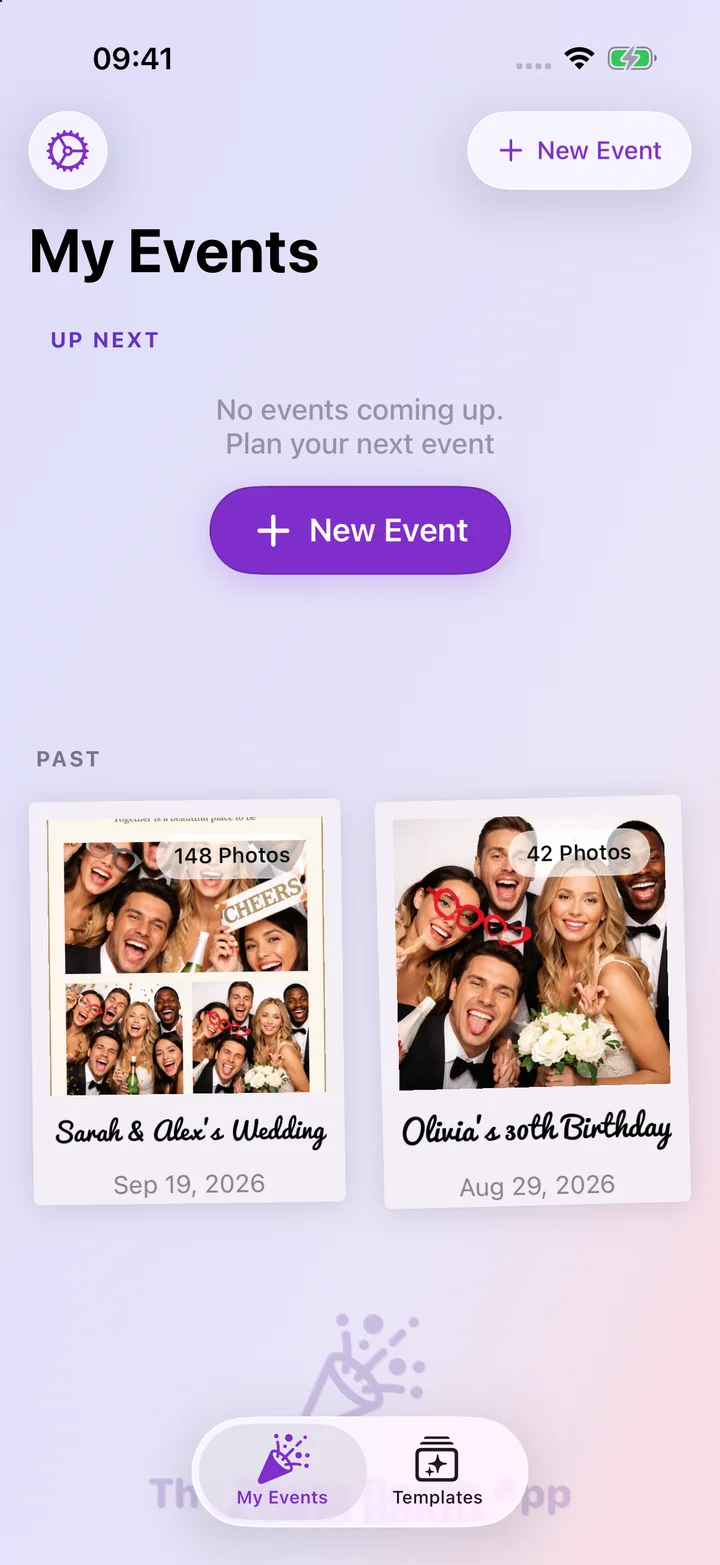
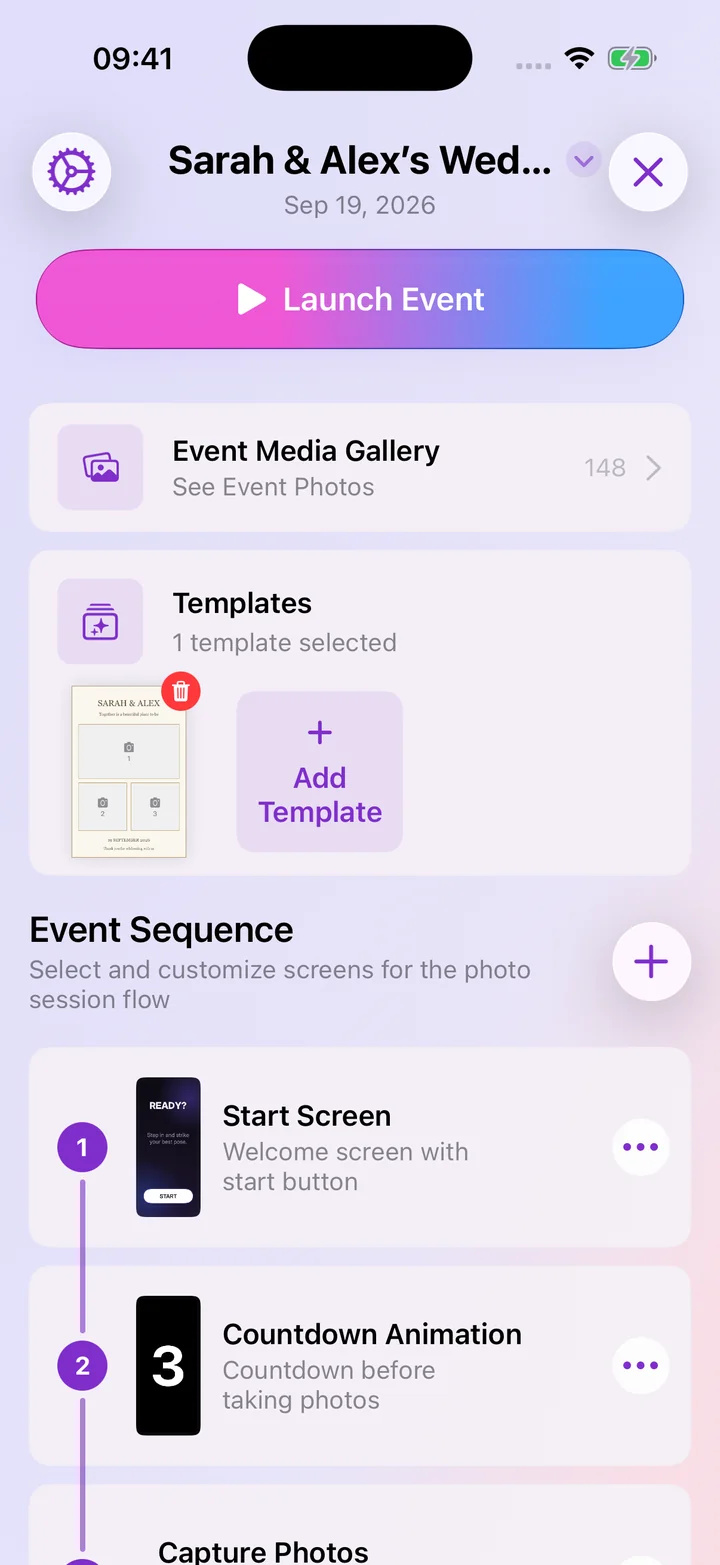
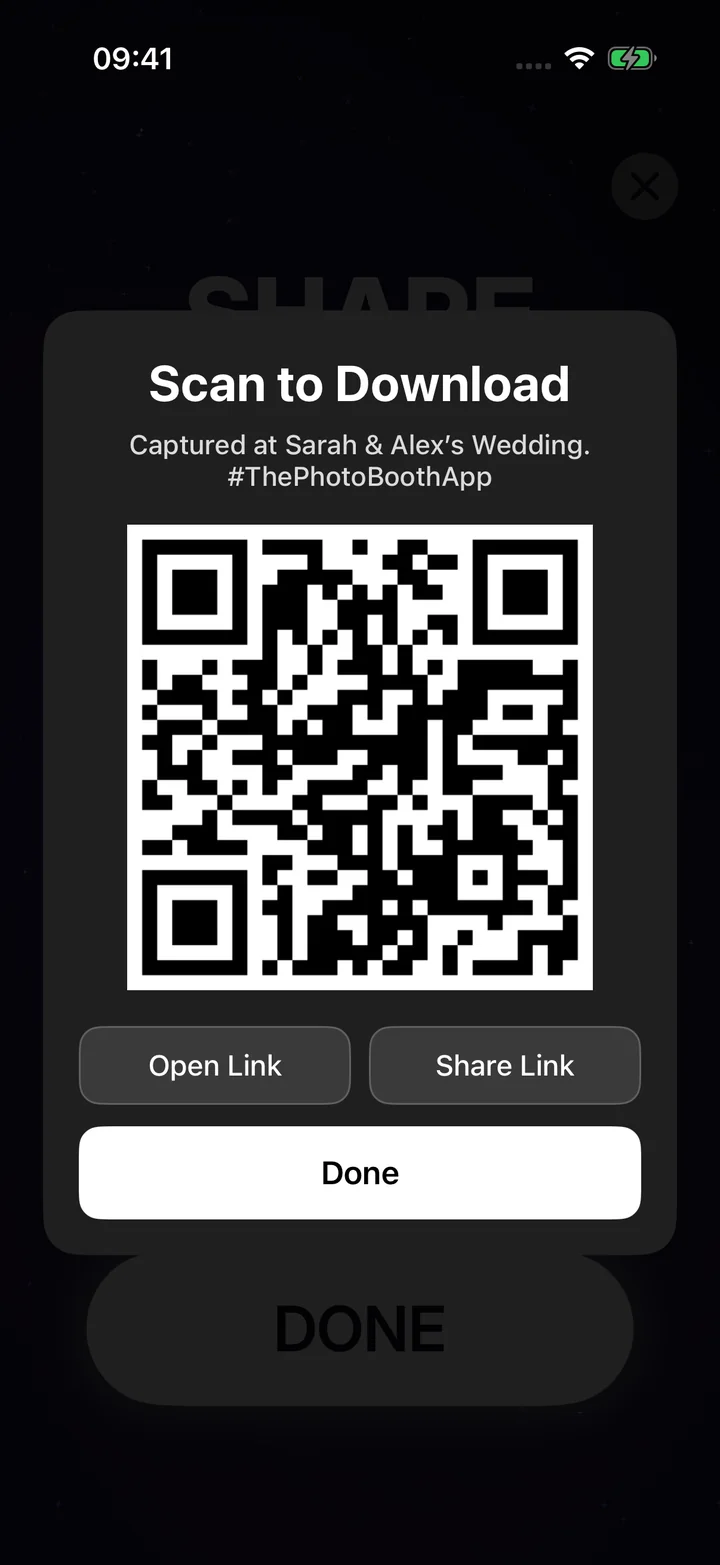
Version 1.16.0
October 2026
New
- A personal thank-you for Premium subscribers, with a note from me in Settings and a quick way to leave a review.
Improved
- Faster photo and GIF previews, smoother gallery browsing and saving, and photo uploads that keep working in the background.
Improved
- Include the correct iPad sizes for every alternate app icon.
- Release the event setup name screen when you close the setup flow, preventing memory from accumulating after repeated event creation.
Version 1.15.0
September 2026
New
- Sign in with Apple to back up your own templates, custom flow screens and events, keep them in sync across your devices, and continue working with them on the web. Your latest edits and deletions sync automatically, while event photos and guest contact details stay private on the booth device.
- Manage PhotoBooth from the new web dashboard at thephotoboothapp.com/app: view and edit events and templates, manage online galleries, download every gallery photo, and print its QR sign. Open it securely from Your Profile with a one-time Safari link, or scan the code shown on your computer and approve the browser.
- Sign out from Your Profile. Your designs and events stay on the device, and they're never mixed into another account you sign in with.
Improved
- Free accounts can sync one custom template, while Premium accounts can keep every design in sync. If more designs are waiting, PhotoBooth offers an upgrade without removing anything from your device; signing out also leaves your local designs safely in place.
- Online galleries now belong to your account, so creating one asks you to Sign in with Apple first. Galleries you already made are linked to your account automatically and show up on the web dashboard.
- Events that use a built-in template or flow screen now open with the same design on every device you sign in on, and the photo count on the web adds up the photos from every booth device.
- Close buttons are now the same across sheets, including the template and sticker pickers.
Version 1.14.0
August 2026
New
- Use your own designs as templates. Create Template → From Image now keeps your artwork exactly as you made it, every graphic, font and colour, and adds a photo spot behind each opening. It works with a PNG frame with transparent openings, a JPG with plain white or coloured boxes, or a finished design that already has example photos in it: each photo becomes a photo spot. Round, heart-shaped and arched openings all trim the photos to their shape, and you see a preview of the photo spots before the template is created.
- Your design lands on the nearest print size so it prints properly and is never stretched. If it needs more than a small trim to fit, PhotoBooth tells you how much and lets you crop to fit, use a custom size, or pick another image.
- Import designs from the Files app as well as your photo library, or send a PNG or JPG straight to PhotoBooth from Mail, AirDrop, Files or your design app with "Open In".
- PhotoBooth now appears in the share sheet. Open a design in Photos (or any app that shares images), tap Share → PhotoBooth, and it opens straight into Create Template, ready to become a template.
- Lock anything in the editor from its ••• menu: a locked element stays exactly where it is and taps pass straight through it, so you can work on what's underneath. Press and hold it to unlock. Imported designs start locked, so you can move and resize their photo spots right away, and Replace Image in the same menu swaps in an updated version of your design, the photo spots move to match if its openings changed.
- PhotoBooth works with Siri, Spotlight and Shortcuts. Say "Start my event in PhotoBooth" or "Start Wedding in PhotoBooth" to open the launch screen, ask "How many photos in PhotoBooth?" to hear how the booth is doing without opening the app, or say "New event in PhotoBooth". Your events show up in Spotlight search, and while an event is on screen Siri knows which one you mean. A running event is never interrupted.
Improved
- PhotoBooth is now ready for iOS 27, with compatibility updates for the latest Apple platform release while continuing to support devices running iOS 15 and later.
- A transparent PNG used as a template's background image now keeps its transparency.
- The live camera preview during the countdown is clearer to set up: the Screen Mirroring option in an event's Camera Settings is now called Mirror Live Preview and explains what it does. Leave it off and guests see the camera's real view, matching the final photo; turn it on for a mirror-style preview. The choice now holds every time the camera starts. Thanks to the host who asked for it!
- Change the exit passcode, camera and printer right from the Ready to Launch screen: tap a row to edit it without leaving the launch flow.
- Moving, resizing and rotating things in the editor now has gentle vibration feedback on iPhone: a tap when you pick something up, a tick when it snaps into line or rotates to a straight angle, and a soft bump when it reaches the edge.
- The rotation handle now sits below the element, joined by a dotted line, and is always fully visible the first time you select something.
- Customize Your Flow lists the screen styles in the same order in every group, so Neon is always in the same place.
- The Neon screens' glowing border now follows the curve of your iPhone or iPad's rounded screen corners.
Improved
- The camera now turns with the device: when the booth runs in landscape, the live preview is upright and photos are taken in landscape instead of always portrait. Thanks to Nico for the heads-up!
- Template previews no longer sometimes show the selection outline and handles of the last element you edited.
- An event no longer blinks out for a moment when you close its long-press menu.
Version 1.13.0
August 2026
New
- A new Accessibility screen under Settings lets you set the app in a font that suits you, OpenDyslexic, Lexend or Atkinson Hyperlegible alongside the standard one, and turn vibration feedback off.
- Templates now open on a real category instead of the catch-all list, and your own designs have a Custom section of their own at the front.
- Accessories explains the Apple Watch remote, so you can run the booth from your wrist.
Improved
- PhotoBooth adopts Apple's new Liquid Glass look on iOS 26: the navigation bars, the tab bar and the editor toolbars are now made of the system's glass material, so your photos and templates show through and colour the chrome as they scroll underneath. On earlier versions of iOS the app looks exactly as it did before.
- The tab bar gets out of the way as you scroll down through your events and templates, and comes straight back when you scroll up.
- The Apple Watch remote picks up the same new design on watchOS 26.
- A brand-new install now shows every template category from the first launch, with placeholders while the catalogue arrives instead of a screen that looks empty.
- Sliders in the editor click through their steps under your finger, and copying your user ID confirms it did.
- The app launches faster and the booth stays responsive between shots, especially once you've hosted lots of events.
- Smoother scrolling in the Events and Templates galleries.
- Swiping through photos in an event's gallery is smoother, and browsing a long event uses much less memory, a real difference on older iPads.
- The templates gallery now downloads only the designs that are new or have changed instead of the whole library on every launch, it opens sooner and uses far less data, which matters on a venue's patchy connection.
- Template previews appear as soon as the gallery opens rather than being drawn from scratch each time, so the grid fills in immediately.
Version 1.12.0
July 2026
New
- Apple Watch remote: run the whole photo booth from your wrist. Start a session, move through every screen, trigger the capture countdown, step back, retake, restart, or end the session, all without touching the iPhone, so you can stand with your guests instead of behind the booth. The watch mirrors the live flow in real time: it shows which screen guests are on with a Step X of Y indicator (and a "Photo 2 of 3" hint during multi-shot templates), and a single large button that always does the right thing for the current screen.
- A statistics page on the watch shows live counts for the running event, sessions, photos, and shares, so you can keep an eye on how the booth is performing at a glance.
- Feature Requests in Settings: browse ideas from other hosts, vote for the ones you want (and un-vote if you change your mind), and submit your own, your pending submissions stay visible until they're approved.
Improved
- New events now save the finished print layout (the template with your photos) to your album by default, alongside the individual shots, you can still turn this off per event in Save settings.
- Photo strip templates can now print two identical strips on one sheet, ready to cut apart into two copies, ideal for dye-sublimation printers set to their strip-cut mode. Turn it on with Two Strips Per Print in an event's Print settings.
- The layout picker opens without stuttering: template previews are no longer regenerated from scratch on every app launch.
Improved
- QR code sharing now works when the booth device is connected through a mobile hotspot. Thanks to Thomas for the heads-up!
- The Select Printer button in an event's Print settings now opens the printer picker on iPad. Thanks to Myriam for the heads-up!
Version 1.11.0
June 2026
Improved
- A smoother, faster app across the board, scrolling, countdowns, transitions, and long busy events all stay fluid now that heavy work happens in the background.
Version 1.10.0
June 2026
New
- Five new screen styles, Elegant, Cinematic, Festive, Neon, and Velvet, bring distinct looks to your flow screens, each with its own animated backdrop, typography, and themed wording (Velvet sets a theatre mood, complete with playbill-style copy). Pick them from the screen picker for the Start, Instructions, Disclaimer, Capture Type, Sharing, and Goodbye screens.
- Reorder the intro screens in your Event Sequence, drag a Start, Instructions, Disclaimer, or Capture Type card to a new spot, or use Move Up / Move Down in its menu. The capture, sharing, and goodbye steps stay fixed, and your order is saved for the booth.
Improved
- Refined the whole booth flow for a more polished feel: capsule action buttons, a subtle entrance animation as each screen appears, and a soft glow on the main button so it's always clear what to tap.
- Cleaner, more consistent screen layouts, titles, descriptions, and buttons line up as you move through the flow, with extra tuning for iPad in portrait: a lighter instructions list, wider button pairs, a higher-sitting description, and a larger template preview on the Sharing screen.
- The full-screen photo zoom on the Sharing screen now opens and closes with a smoother, more natural animation.
- The event template picker now opens more smoothly the first time, with templates filling in progressively after the sheet appears.
Improved
- Closing the photo notice now returns to Event Details instead of restarting the booth flow.
- Fixed the main action button's tap animation occasionally jumping.
- The hands-free remote no longer advances the flow while a QR code is on screen, so guests can finish scanning before moving on.
- General reliability fixes around QR sharing and GIF capture.
Version 1.9.0
June 2026
New
- Event Settings now opens a dedicated Analytics screen for each event, a hero photos-captured count with vs-last-event delta, prints/shares/GIFs pills, an engagement donut with printed/shared/GIF'd breakdowns, an activity-by-hour chart with peak indicator, and a top frames used list.
- Flow screens (Start, Instructions, Disclaimer, Capture Type, Review, Sharing, Goodbye) now ship with independently designed landscape layouts and switch to them automatically when the device is held in landscape; the screen editor's orientation toggle lets you author the portrait and landscape layouts independently for every built-in and custom screen.
- Remote control support: pair an inexpensive Bluetooth camera remote (or use the device's volume buttons) to trigger the booth hands-free, a press fires the primary action of the current screen, so guests can start the flow and take photos without touching the device.
- Tap the photo preview on the Sharing screen to zoom the finished template to full screen for a closer look, it springs open, then eases back on its own after a few seconds or the moment you tap again.
Improved
- Polished animations and a smoother, more reliable app under the hood.
- The four flow-screen layouts (phone portrait/landscape, iPad portrait/landscape) are now each hand-authored for every design instead of relying on a single layout being adaptively resized, text fits, buttons line up, and everything looks intentional on every device.
Version 1.8.0
June 2026
New
- GIF capture: choose GIF on the capture type screen to record a short animated clip styled with your layout, guests can share or save the looping GIF.
- Added a launch readiness screen when you start an event: grant camera and photo library access in one place, and see at a glance whether your device is plugged in and has enough storage so a session won't be interrupted.
Improved
- Improved stability on older iPhones and iPads, fixing several rare crashes.
- The photo gallery is more reliable, deleting photos now works smoothly every time.
- Smoother, more responsive browsing in the templates gallery.
- Less waiting right after you take a photo.
- More accurate translations across all eight supported languages.
- Tap a template in your event to preview it full-size and jump straight into editing.
- Wider, more reliable device support, PhotoBooth now runs on iPhone and iPad models going back to iOS 15.
- Faster, smoother layout and flow-screen pickers, previews now load ahead of time and fill in progressively instead of freezing.
- Printing now remembers the printer you picked, photos print straight to it instead of asking you to choose every time (falls back to the print dialog if it's unavailable).
Version 1.7.1
May 2026
Improved
- Fixed templates with invalid size data failing to render with a usable layout.
Version 1.7.0
May 2026
Improved
- Redesigned the event setup screens, step previews now match each screen's real proportions, and the screen picker is cleaner and faster to open.
- Sharing screen action buttons now display as icons instead of text labels for a cleaner, more compact layout.
- Refreshed the default copy on the welcome, instructions, disclaimer, sharing, and goodbye screens, with distinct wording for each screen style and full localization in all eight languages.
Version 1.6.0
May 2026
Improved
- Sticker artwork now renders on-device, improving build and update reliability.
Improved
- Fixed an iPad launch screen validation issue.
Version 1.5.0
May 2026
New
- Added new seasonal templates, stickers, backdrops, and bundled font families across St. Patrick's Day, Graduation, Birthday, Halloween, Baby Shower, Fourth of July, and Wedding categories.
- Canvas editor now supports multi-stop linear/radial gradients, letter spacing, background image opacity/blur/content-mode, eight new shape types, tintable SVG stickers, and wallet-size templates.
Improved
- Updated the app startup path so older iOS devices can launch without scene lifecycle support.
- Improved sticker category organization, thumbnail prefetching, template loading responsiveness, and event/settings screen consistency.
Improved
- Fixed duplicate and missing sticker references, oversized assets, transparent/background artifacts, and several SVG viewBox/padding issues.
- Fixed Poppins font project references so all bundled weights are copied into the app.
Version 1.4
April 2026
New
- Brand-new templates have just landed, and this is only the beginning! Tons more fresh designs are on the way to make every event unforgettable. Stay tuned!
- Added a "Your Profile" screen where you can edit your name, job title, and user type. Anonymous users can now sign in with Apple directly from this screen.
Improved
- Sticker category cards now reuse the matching category artwork for St. Patrick's Day, Thanksgiving, Graduation & Prom, and Baby Shower.
Improved
- Fixed the "Name Your Event" screen where the title and text field would scroll off-screen after the keyboard appeared.
Version 1.3
April 2026
New
- Added 52 new stickers, including a new Decorations category.
Improved
- The app now works better without an internet connection.
- Photos waiting to upload to an online gallery will automatically upload once you're back online.
Version 1.2
April 2026
Version 1.1
April 2026
Improved
- Fixed various crashes and stability improvements.
- Event detail screen sequence previews now preserve aspect ratio and no longer crop images.
- Event detail header now shows the event-name chevron inside a circular background for clearer affordance.
- Event sequence screen selection inside event detail now opens in modal sheets/popovers with a clear
Doneaction instead of requiring back navigation. - Event detail template selection now opens as a modal with an explicit
Donebutton so users can finish without using back navigation. - Fixed various crashes and stability improvements.
Version 1.0
March 2026
New
- Initial release of The Photo Booth App.