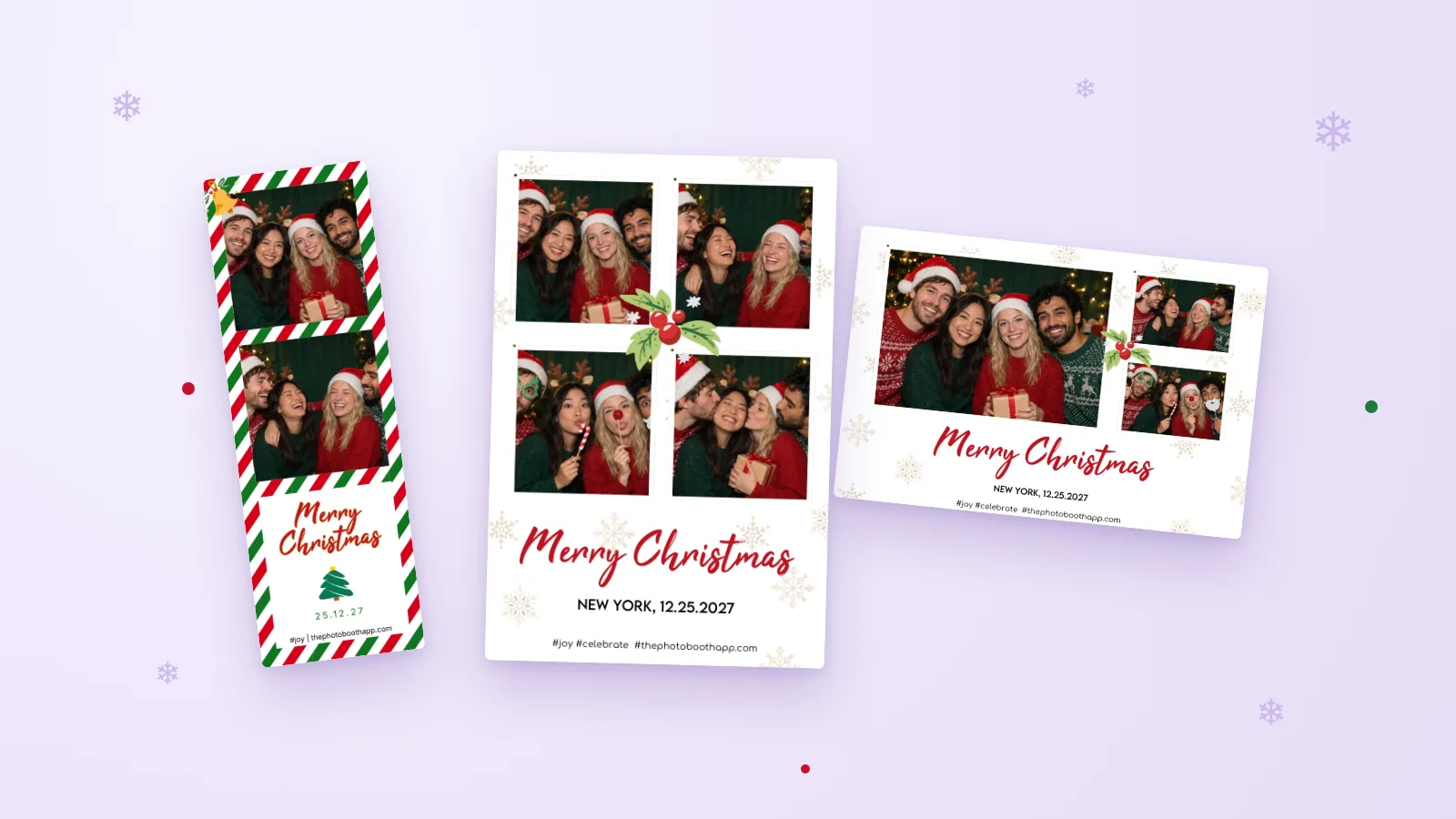
A good Christmas photo booth needs three things: a backdrop that says "Christmas" at a glance, light on people's faces, and a basket of props that makes guests want to step in. Everything else is optional. You can set up a photo booth for Christmas at home or at the office party in an afternoon, and run it on an iPhone or iPad instead of renting one.
Below are backdrop, prop, and lighting ideas with a rough cost for each, ideas for different kinds of Christmas events, and a short setup for running the booth with Photo Booth App.
Quick Christmas photo booth checklist
| Item | Why it matters | Budget option |
|---|---|---|
| Backdrop | Tells everyone it is a Christmas photo | String lights on a dark curtain or bedsheet |
| Front light | Faces look bright and sharp, not grainy | A lamp or ring light placed behind the camera |
| Props basket | Gives guests something to do with their hands | Santa hats, antlers, and empty wrapped boxes |
| Stand for the iPad or iPhone | Keeps the camera steady at chest height | A tripod with a tablet mount, or a stack of books on a table |
| Power | The booth runs for hours | Charger and a long extension cord |
| Christmas template | Every photo comes out festive, with your names or date | A built-in Christmas design in the app |
| Way to share | Guests leave with their photos | QR code on the booth screen, or AirPrint prints |
| Floor marks | Guests stand where the camera can see them | Two pieces of tape on the floor |
Christmas photo booth backdrop ideas
All seven Christmas photo booth backdrops below work at home or at the office. Pick one. A plain background with good light beats a busy one with bad light.
1. String light curtain (low cost, 20 minutes). Hang warm white string lights vertically on a dark curtain, sheet, or wall. The lights blur nicely behind people and work in a dim room. Avoid colored flashing lights, which look messy in photos.
2. The Christmas tree corner (free, 5 minutes). Put the booth next to your decorated tree, angled so the tree fills one side of the frame. It is the easiest home setup because the decorating is already done.
3. Wrapping paper wall (low cost, 30 minutes). Tape two or three rolls of matching wrapping paper to a wall, side by side. Add a big bow in one corner. Matte paper photographs better than shiny foil, which reflects the light.
4. Garland frame (low cost, 30 minutes). Outline a doorway or a section of wall with garland and a few ornaments. Guests stand inside the frame. This works well in offices where you cannot cover a whole wall.
5. Cozy fireplace scene (free to low cost, 15 minutes). Stockings, a throw blanket on a chair, and a couple of pillows. Good for family photos, because people can sit and the youngest can be on a lap.
6. Winter white (medium cost, 45 minutes). A white curtain, faux snow on the floor, silver ornaments, and a few paper snowflakes. It looks clean and suits a corporate party, but white backdrops need more front light so faces don't turn gray.
7. Giant gift box (medium cost, 1 hour). Wrap a large cardboard box and cut an opening so guests can pose "inside" the present. It's fun at kids' parties, but it takes space and only fits one or two people.
Christmas photo booth props
Five to ten props is the sweet spot. More than that and the table becomes a pile nobody touches.
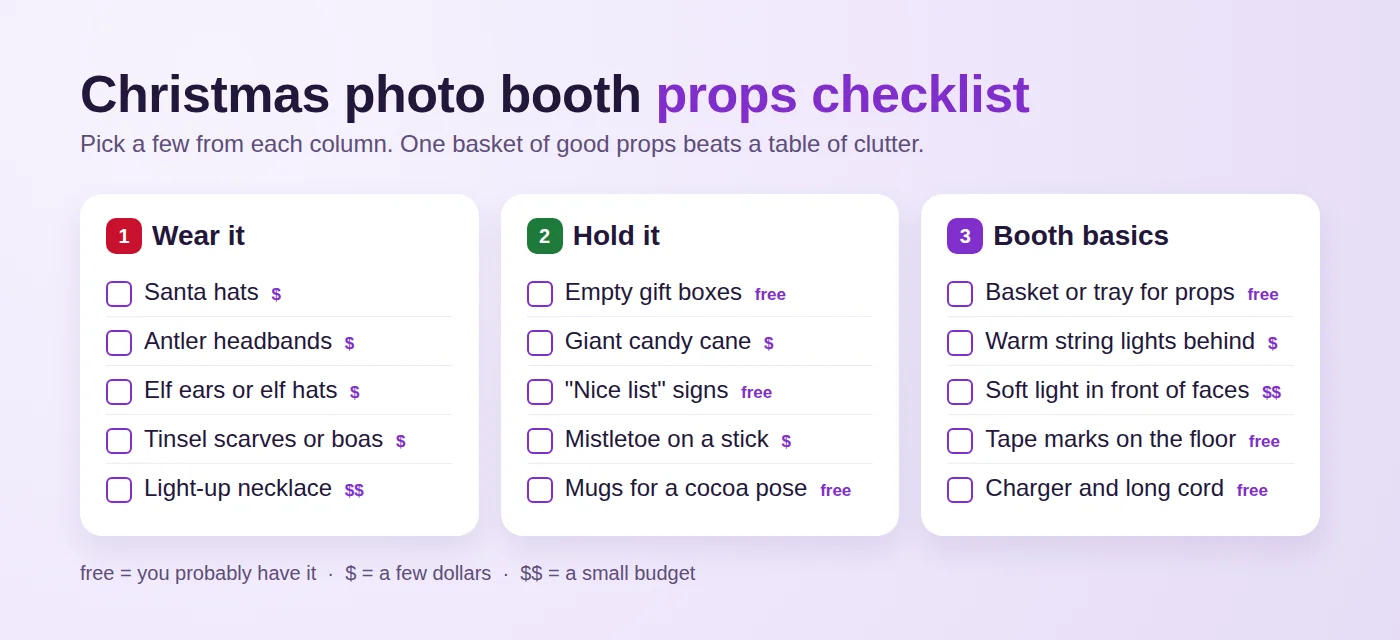
- Things to wear: Santa hats, antler headbands, elf ears, tinsel scarves, an ugly sweater on a hanger for anyone who forgot theirs.
- Things to hold: empty boxes wrapped as gifts, a giant candy cane, mistletoe taped to a stick, cocoa mugs.
- Signs: short words read best. "Nice list", "Naughty list", "Ho ho ho", the family name, or the year. Print them large on card stock.
Put everything in one basket next to the booth, not in front of the camera. Check the basket every hour and bring back the props that wandered off.
Lighting: the part most people skip
Christmas parties happen in the evening, often in dim rooms full of warm lights. That is great for atmosphere and bad for faces.
- Light from the front. Place a lamp, ring light, or softbox just behind the iPad, at about head height. Light from behind the guests turns them into silhouettes.
- Keep the backdrop lights soft. String lights should glow, not compete with faces. If they look like bright dots in the test photo, move the booth a step forward.
- Test at party time. A spot that looks great at 3 pm can be dark at 7 pm. Take your test photo when the room lighting matches the party.
The iPad photo booth setup guide covers stands, placement, and lighting in more detail.
Ideas for different Christmas events
Office Christmas party
Use the garland frame or winter white backdrop and a template with the company name and date. Put the booth near the bar or food, where people already gather. Decide up front whether photos can be shared on company channels, and say so on a small sign. The corporate event photo booth checklist covers permissions, venue Wi-Fi, and who looks after the booth.
Family Christmas at home
The tree corner or fireplace scene works best. Set the booth up on Christmas Eve or Christmas Day and leave it running. Grandparents tend to love it once someone shows them the first photo. A photo strip layout makes nice keepsakes if you have a printer.
Kids' Christmas party
Lower the camera to the kids' eye level, keep the countdown short, and choose props they can't break. Elf ears and antlers are a hit. Let an adult handle the screen if the kids are young, or lock the device to the app (more on that below).
Christmas card photo booth
This one saves the most time. Instead of chasing the family around for one perfect picture, set up the booth for twenty minutes and let the countdown do the work. You get several rounds of photos and pick the best later. Use a landscape layout if your card is landscape, and keep names and the year away from the edges so they don't get cropped when printed. Our print size guide explains 4 × 6 cards and safe areas.
Christmas templates in Photo Booth App
Photo Booth App includes a Christmas category with eight designs, all named Merry Christmas or Celebrate, in portrait, landscape, and photo strip formats. They use red and green candy-cane borders, holly, snowflakes, and script lettering, with space for your own text such as a place, date, or hashtag.
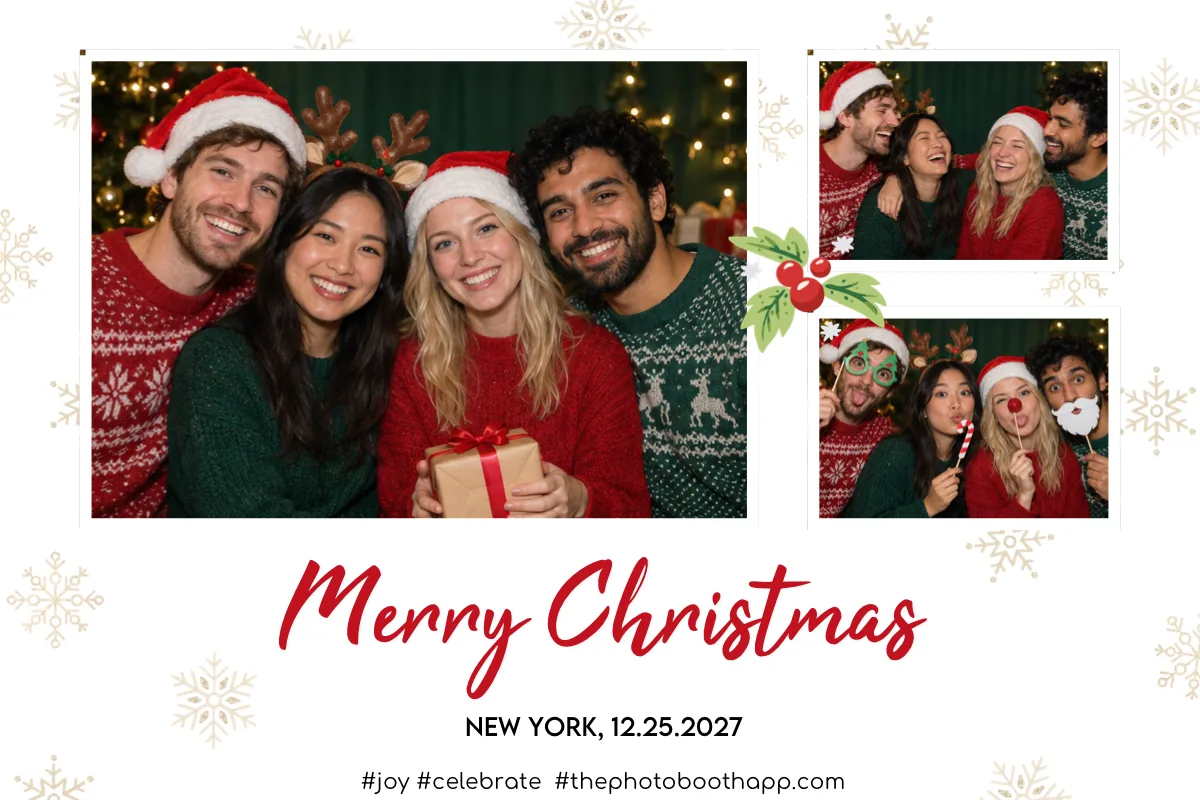
You can browse the Christmas templates before downloading the app. If you'd rather use your own artwork, for example a design that matches your printed Christmas cards, you can import a PNG or JPG and the app places photos behind the openings.
Set up a Christmas photo booth on an iPad in 15 minutes
Once the backdrop and light are in place, the app side is quick.
- Download Photo Booth App on your iPhone or iPad (iOS or iPadOS 15 or later). Your first event is on us.
- Create an event and give it a name, for example "Smith Family Christmas 2026".
- Choose one of the Christmas templates and edit the text with your names, place, or date.
- Set up the guest screens: a welcome screen and one of the six countdown animations. If you like, add a Photo or GIF choice so guests can make a short looping GIF.
- Turn on sharing. Guests can get their photos by QR code, AirDrop, email, or message, and a QR code works on almost any phone, including Android. For prints, connect a compatible AirPrint printer on the same Wi-Fi network.
- Mount the device at chest height, plug it in, and turn on Guided Access in iOS Settings so guests stay inside the app.
- Take a test photo with two or three people at the edges of the frame. Check faces, light, the template text, and one QR download on a guest's phone.
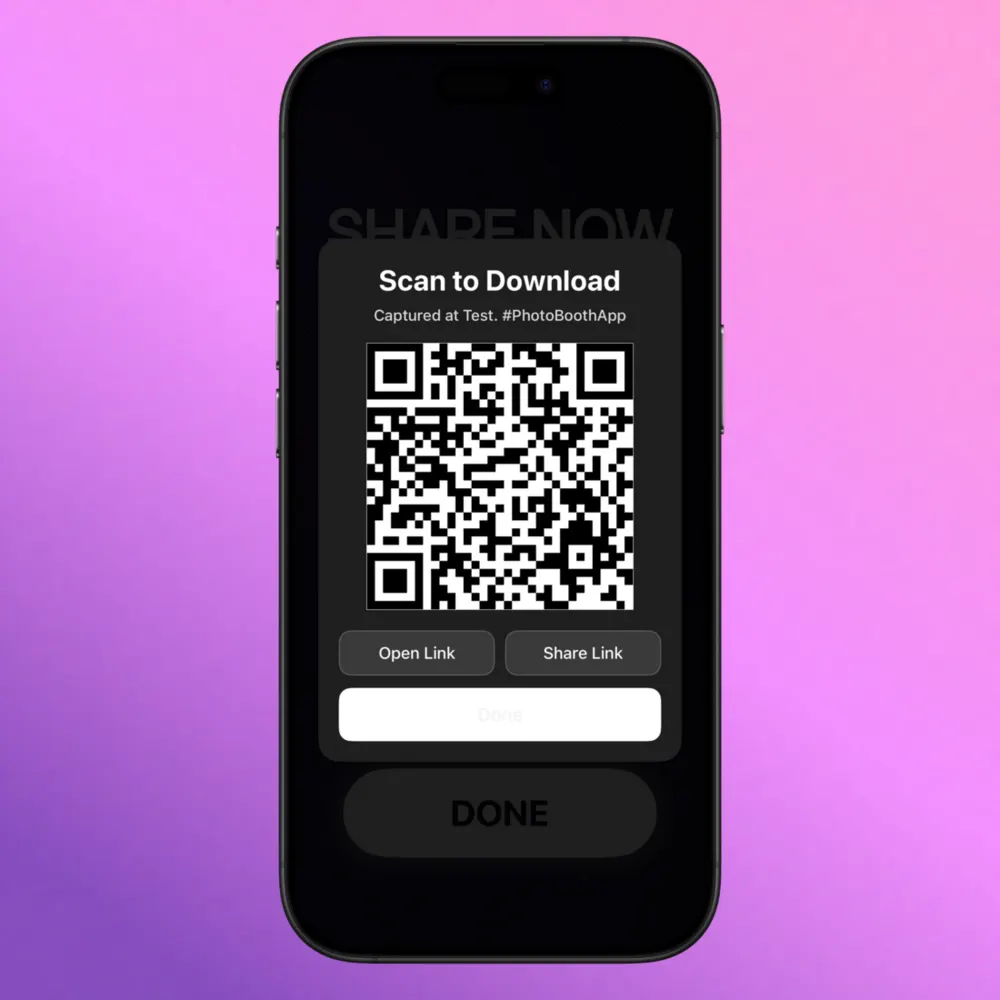
Taking and saving photos works without internet. QR downloads, email, text messages, and online galleries need a connection, so test them on the Wi-Fi you'll actually use. After the party, you can upload photos to an online gallery and share one link with everyone. The sharing guide for event hosts compares each option.
Common mistakes to avoid
- Too dark. Most disappointing booth photos are underlit. Add a front light even if the room feels bright enough.
- Too many props. A big pile slows the line and ends up on the floor.
- No test run. Five minutes of testing catches the dead battery, the cropped name, and the printer that wants a different paper size.
- Printer as the only option. Prints are slower than photos. Keep QR sharing on so the line keeps moving if the printer runs out of paper.
- A booth nobody can find. Put it where people walk past, not in a back room.
Start simple: one backdrop, one light, one basket of props, and a Christmas template. Set it up the day before, take a test photo, and let your guests do the rest. When you are ready, download Photo Booth App and run your first event for free.
Manuel Escrig
FAQ
How do you make a Christmas photo booth at home?
Choose a corner with space for three or four people, add a simple backdrop such as string lights on a dark curtain or a decorated tree, light faces from the front, and put a basket of props nearby. Mount an iPhone or iPad on a stand at chest height, run a photo booth app with a countdown, and take a test photo before guests arrive.
What props do you need for a Christmas photo booth?
Five to ten props is plenty: Santa hats, antler headbands, elf ears, tinsel scarves, a giant candy cane, empty wrapped gift boxes, and a couple of handheld signs. Keep them in one basket so the booth area stays tidy.
What is a cheap Christmas photo booth backdrop?
Warm string lights hung on a dark curtain or bedsheet, a wall covered in wrapping paper, or the corner next to your Christmas tree. All three cost little and photograph well if faces are lit from the front.
Can I print Christmas photo booth pictures at the party?
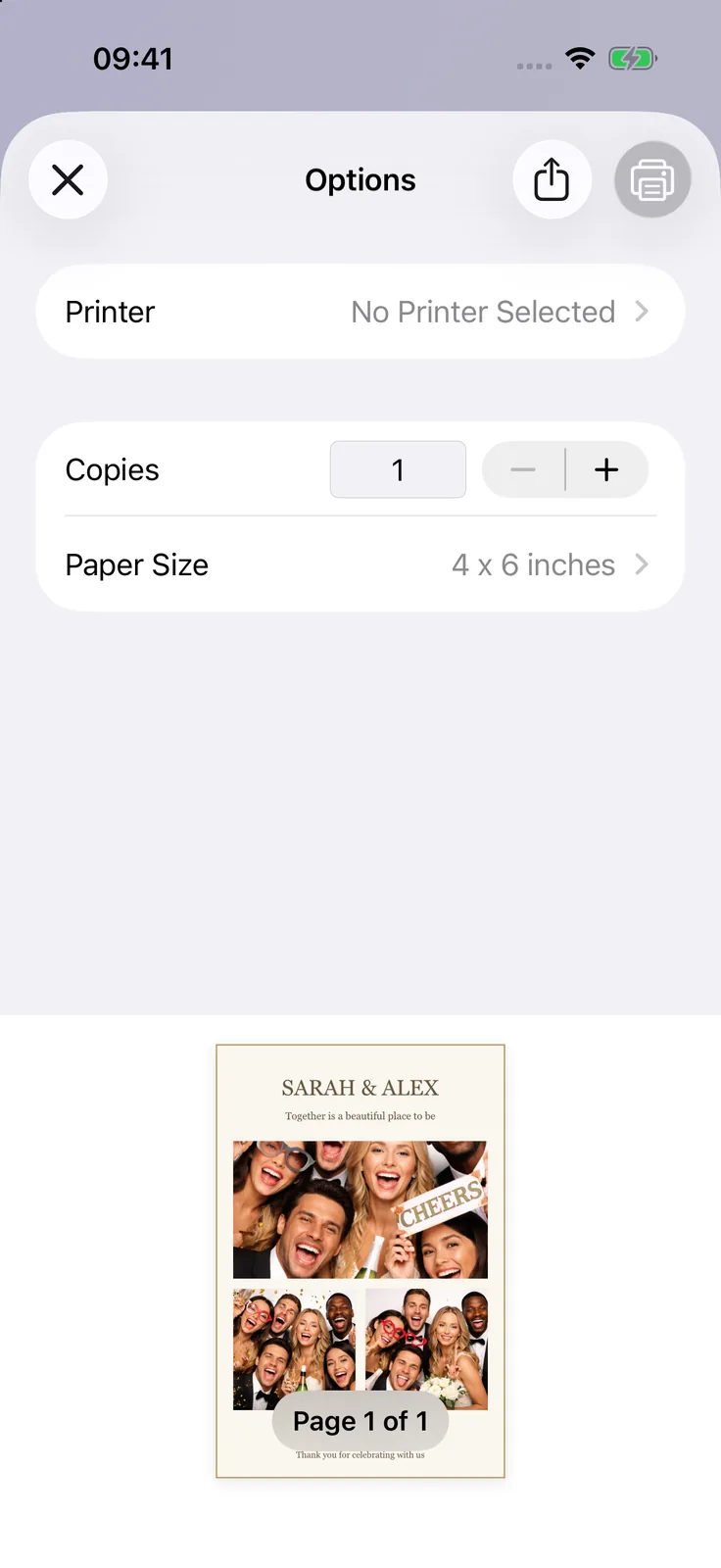
Yes, with a compatible AirPrint printer on the same Wi-Fi network as the booth device. Print three test sessions first to check paper size, cropping, and how long each print takes.
How do I use a photo booth for our Christmas card photo?
Set up the booth with a landscape or portrait card layout, take a few rounds of family photos with the countdown, and pick the best one afterwards. You can print it at home or save the finished layout and order cards from your usual print service.
Does a Christmas photo booth need Wi-Fi?
Not for taking photos. Photo Booth App takes and saves photos without internet. QR downloads, email, text messages, and online galleries need a connection, so test them on the venue or home Wi-Fi.

Manuel Escrig
Manuel is the creator of Photo Booth App and GoInspired LLC. He builds the iPhone, iPad, web, and event-gallery pieces behind the product. Read more about me
 Share on Facebook
 Share on X
Keep reading
All posts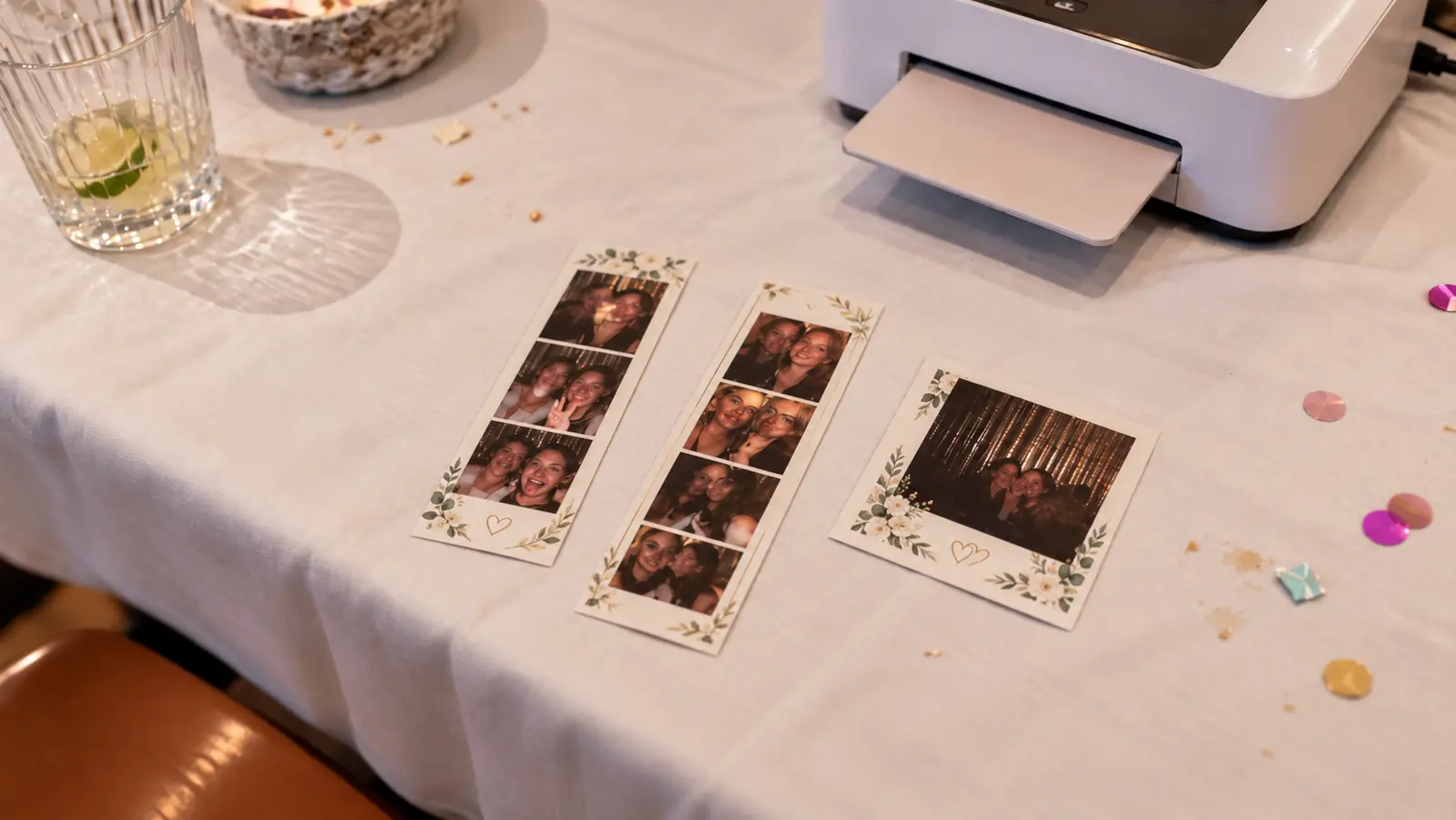
Photo Booth Print Sizes: 4 × 6, 2 × 6, and Layout Tips
Choose a photo booth print size, match the template to the paper, and avoid cropped faces, tiny text, and unexpected white borders.
Print photo booth photos with AirPrint
Set up an AirPrint printer, choose your paper size, and make a test print. Find out what to check if your printer does not appear.