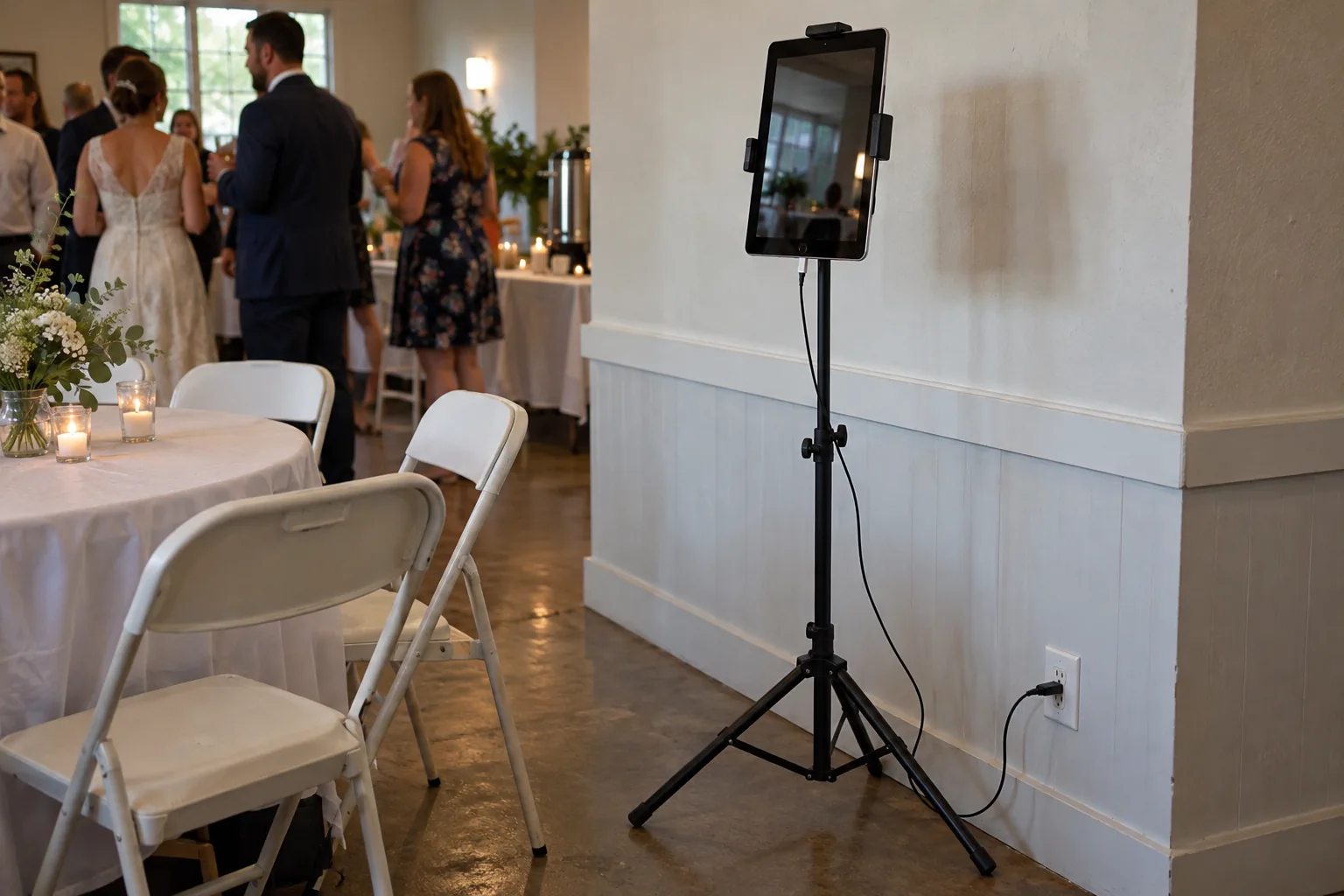
A photo booth rental typically costs $450 to $1,000 for an event in the US. The median is about $681, according to Check Cherry's 2026 pricing guide (based on about 118,000 booked rentals). Wedding booths cost more, with a median of about $886. A DIY iPad booth costs roughly $150 to $350 in gear you keep, if you already own an iPad, and Photo Booth App is free for your first event.
Below: rental prices by length and booth type, what wedding booths cost, what pushes the price up, and a line-by-line DIY budget so you can compare.
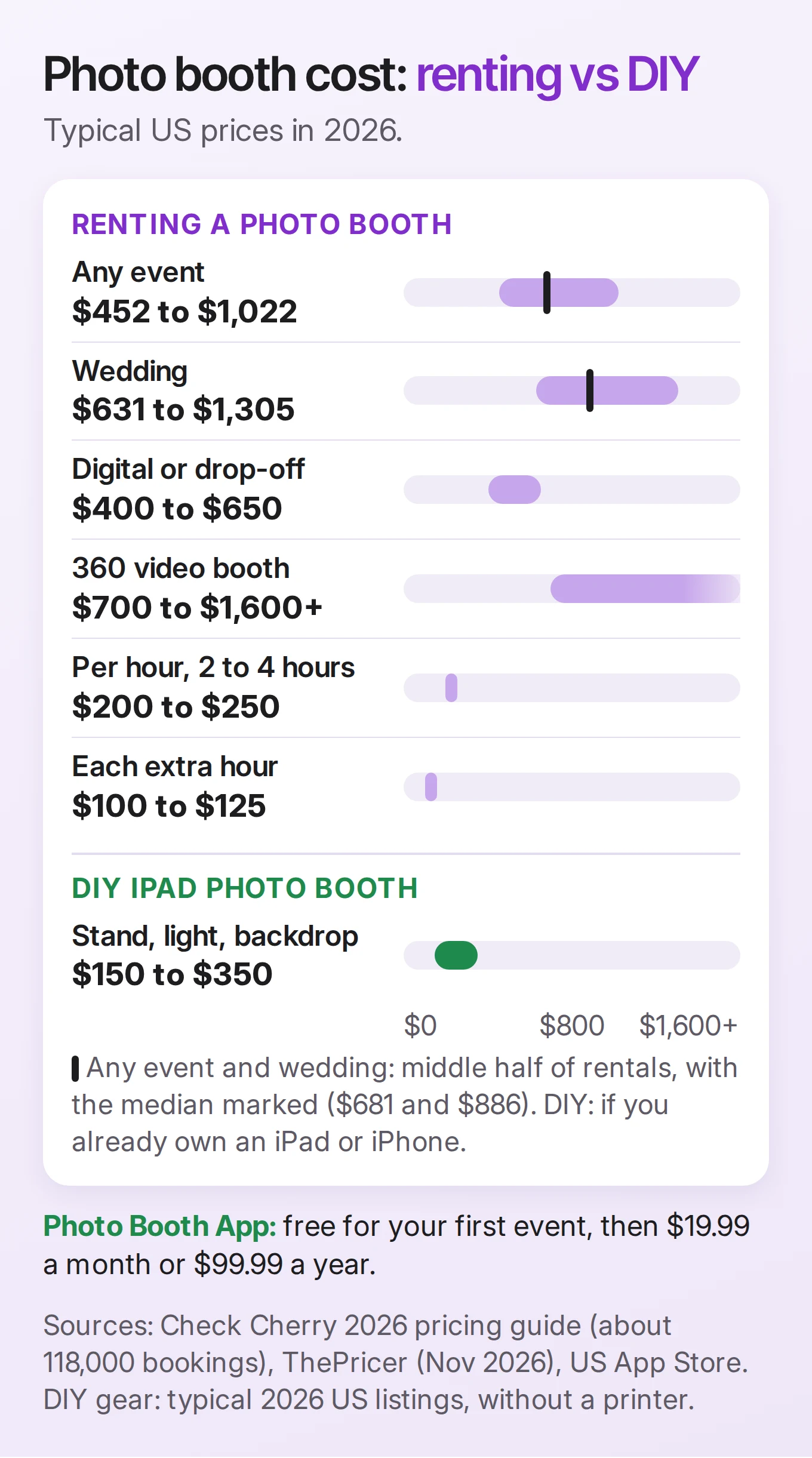
Photo booth rental prices at a glance
| What you are paying for | Typical US price | Source |
|---|---|---|
| Any event, median | $681 | Check Cherry |
| Any event, middle half of rentals | $452 to $1,022 | Check Cherry |
| 2 hours or less (median) | $495 | Check Cherry |
| 3 hours (median) | $699 | Check Cherry |
| 4 hours (median) | $800 | Check Cherry |
| 5 hours or more (median) | $993 | Check Cherry |
| Each extra hour | $100 to $125 | ThePricer |
| Wedding, median | $886 | Check Cherry |
| Wedding, average | $650 | WeddingWire |
Check Cherry's figures come from bookings made through its own software for photo booth companies, so they reflect the businesses that use it. Prices vary by city and season: get two or three quotes for your date.
How much does a photo booth cost per hour?
Few companies rent by the single hour. Most sell packages of 2 to 4 hours, and the price per hour drops as the package gets longer. Using Check Cherry's medians, a 2-hour rental works out to about $250 an hour and a 4-hour rental to about $200 an hour, so most packages cost about $200 to $250 an hour. Adding an extra hour to a package typically costs $100 to $125. Some companies also charge a lower "idle hour" rate (about $39 to $70) when the booth is set up but not running, for example during dinner.
Photo booth wedding cost
Wedding booths typically cost $630 to $1,300. Check Cherry's 2026 data puts the median wedding rental at $886, the middle half between $631 and $1,305, and the top 10% above $1,973. WeddingWire puts the average at $650, with most couples spending $425 to $1,000.
Weddings cost more than birthday parties for a few reasons:
- Longer hours. The booth often runs from cocktail hour to the last dance.
- An attendant. Someone runs the booth, tidies props and swaps printer paper.
- Prints and a guest book. Many couples want a print for guests and a second copy for the album.
- A custom design. A template with the couple's names and date, sometimes a custom backdrop.
What makes a photo booth cost more
| Cost driver | Typical effect on price |
|---|---|
| Attendant vs drop-off | Attended booths have a median of about $656, drop-off booths about $450 (Check Cherry) |
| Booth type | Digital or drop-off $400 to $650, open-air $600 to $1,000, 360 video $700 to $1,600+, mirror $900 to $1,500+ (ThePricer) |
| Prints | Included in some packages; one company charges $75 to add 4x6 prints to a digital package (ThePricer) |
| Add-ons | About a quarter of rentals add one; median add-on spend is $147 (Check Cherry) |
| Travel | Charged on about 18% of rentals; median $50 (Check Cherry) |
| Custom backdrops, props, flip books | Usually extra (WeddingWire) |
The cheapest way to rent is usually a digital-only, drop-off booth for a short party. The most expensive is a mirror or 360 booth with an attendant, prints and a custom backdrop for a long wedding.
What a DIY iPad photo booth costs
If you already own an iPad or iPhone, a DIY booth is mostly one-off gear you keep for the next party. Prices are typical US listings in 2026 and change often.
| Item | Typical cost | Notes |
|---|---|---|
| iPad or iPhone | $0 if you own one | Needs iPadOS or iOS 15 or later |
| Photo booth app | Free for your first event | Photo Booth App Premium, a subscription (the app shows the price for your country) |
| Tablet floor stand | About $25 to $110 | A sturdy tripod-style stand that holds the iPad at chest height |
| LED light with stand | About $55 to $140 | One panel behind the iPad, facing guests, is enough for most rooms |
| Backdrop | Free to about $60 | A plain wall or curtain is free; a 10 x 7 ft (3 x 2.1 m) backdrop stand is about $60, fabric extra |
| Props | A few dollars | Signs printed on card stock, hats, glasses |
| Printer (optional) | About $160 to $900+ | See the printer section below |
Without a printer, that comes to roughly $150 to $350 in gear, and the app costs nothing for your first event. For later events you need Premium, a subscription. Compare that with a $450 drop-off rental or a $681 median rental, and a DIY booth pays for itself on the first event.
What you give up: nobody runs the booth for you, there is no mirror or 360 video, and prints depend on the printer you choose. What you get: the booth stays as long as the party does, there is no hourly limit, and photos come straight to guests' phones by QR code, AirDrop, email or text.
The DIY photo booth guide has the full shopping list and setup, step by step.
What about prints?
Prints are the biggest difference between a cheap and an expensive booth, rented or DIY.
- Photo printer with AirPrint. A Canon SELPHY CP1500 costs about $160, and its ink and paper work out to roughly 30 to 50 cents per 4x6 print. It is slow (about 40 seconds or more per print), so it suits smaller parties.
- Dye-sub booth printer. Rental companies use printers like the DNP DS-RX1HS (about $695) or DS620A (about $995). Media costs about 14 to 17 cents per 4x6, and prints take seconds. An iPad needs an AirPrint print server, such as DNP's WCM Plus (about $219), to reach them.
For 100 prints, media alone costs about $15 to $50, depending on the printer.
The photo booth printer guide compares AirPrint and DNP printers for an iPad booth in detail.
Photo Booth App prints to AirPrint printers and can print two 2x6 strips on one 4x6 sheet. See printing with AirPrint and the print size guide.
Rent or DIY: which one should you choose?
Rent a photo booth if:
- You want someone else to run it all night, especially at a large wedding.
- You want a mirror booth, a 360 video booth or a branded corporate setup.
- You want fast, unlimited prints and do not want to manage paper and a printer.
Build a DIY booth if:
- You own an iPad or iPhone and have a spot with power.
- Digital photos (QR code, AirDrop, email, text) are enough, or a slower printer is fine.
- You host more than one event a year, or want the booth running longer than a rental package.
- Your budget is closer to a few hundred dollars than a thousand.
You can also do both: a rented booth for the wedding, a DIY booth for the engagement party, the rehearsal dinner or the after-party.
How to run a DIY booth with Photo Booth App
- Download Photo Booth App on an iPad or iPhone running iPadOS or iOS 15 or later.
- Create an event and pick a template, or import your own artwork.
- Choose the guest screens, the countdown, and photos or GIFs.
- Turn on sharing: QR code, AirDrop, email, text message or AirPrint.
- Mount the iPad at chest height, plug it in, and turn on Guided Access.
- Take a test photo with three people before guests arrive.
Your first event is free; you need Premium for more events and to remove the small watermark. See what is free and what needs Premium, the iPad setup checklist, and how we compare with other apps in the best photo booth apps for iPad.
Whether you rent a booth or build your own, I hope your guests leave with photos they love. If you try Photo Booth App at your event, I would love to hear how it went and what could be better.
Thank you for reading. 📸
Manuel Escrig
FAQ
How much does a photo booth cost?
Renting a photo booth in the US typically costs $450 to $1,000 for an event. Check Cherry's 2026 pricing guide, based on about 118,000 bookings, puts the median at $681, with the top 10% of rentals above $1,642. A DIY booth on an iPad you already own costs far less: a stand, a light and a backdrop, plus a photo booth app.
How much does a photo booth cost for a wedding?
Wedding photo booth rentals typically cost $630 to $1,300. Check Cherry reports a wedding median of $886, and WeddingWire puts the average at $650, with most couples spending $425 to $1,000. Weddings cost more than parties because booths run longer and usually include an attendant, prints and a custom design.
How much does a photo booth cost per hour?
Most companies sell packages rather than single hours. Check Cherry's median prices are $495 for 2 hours or less, $699 for 3 hours and $800 for 4 hours. Adding an extra hour typically costs $100 to $125.
Is a DIY photo booth cheaper than renting?
Usually, yes, if you already own an iPad or iPhone. A tablet stand, an LED light and a backdrop stand cost roughly $150 to $350 together, and you keep them for the next party. Photo Booth App is free for your first event. A rental still makes sense if you want an attendant, a mirror or 360 booth, or instant dye-sub prints all night.
How much does a photo booth app cost?
Photo Booth App is free to download and your first event is free. After that, Premium unlocks more events and removes the watermark from photos; the app shows the current price for your country.
How much do photo booth prints cost?
Some rentals include unlimited prints, others charge extra (one example is $75 to add 4x6 prints to a digital package). If you print yourself, media for a dye-sub booth printer such as the DNP DS-RX1HS costs about 15 cents per 4x6, and a Canon SELPHY CP1500 costs roughly 30 to 50 cents per print.
Sources
- Check Cherry, How Much Does a Photo Booth Rental Cost? A 2026 Pricing Guide, updated August 10, 2026.
- WeddingWire, Wedding photo booth cost.
- ThePricer, How much does a photo booth cost for a wedding?, updated November 3, 2026.
Try it at your next event
Download Photo Booth App on your iPhone or iPad, create an event, and test the guest flow before people arrive. Your first event is on us.
Manuel Escrig
Manuel is the creator of Photo Booth App and GoInspired LLC. He builds the iPhone, iPad, web, and event-gallery pieces behind the product. Read more about me
 Share on Facebook
 Share on X
Keep reading
All posts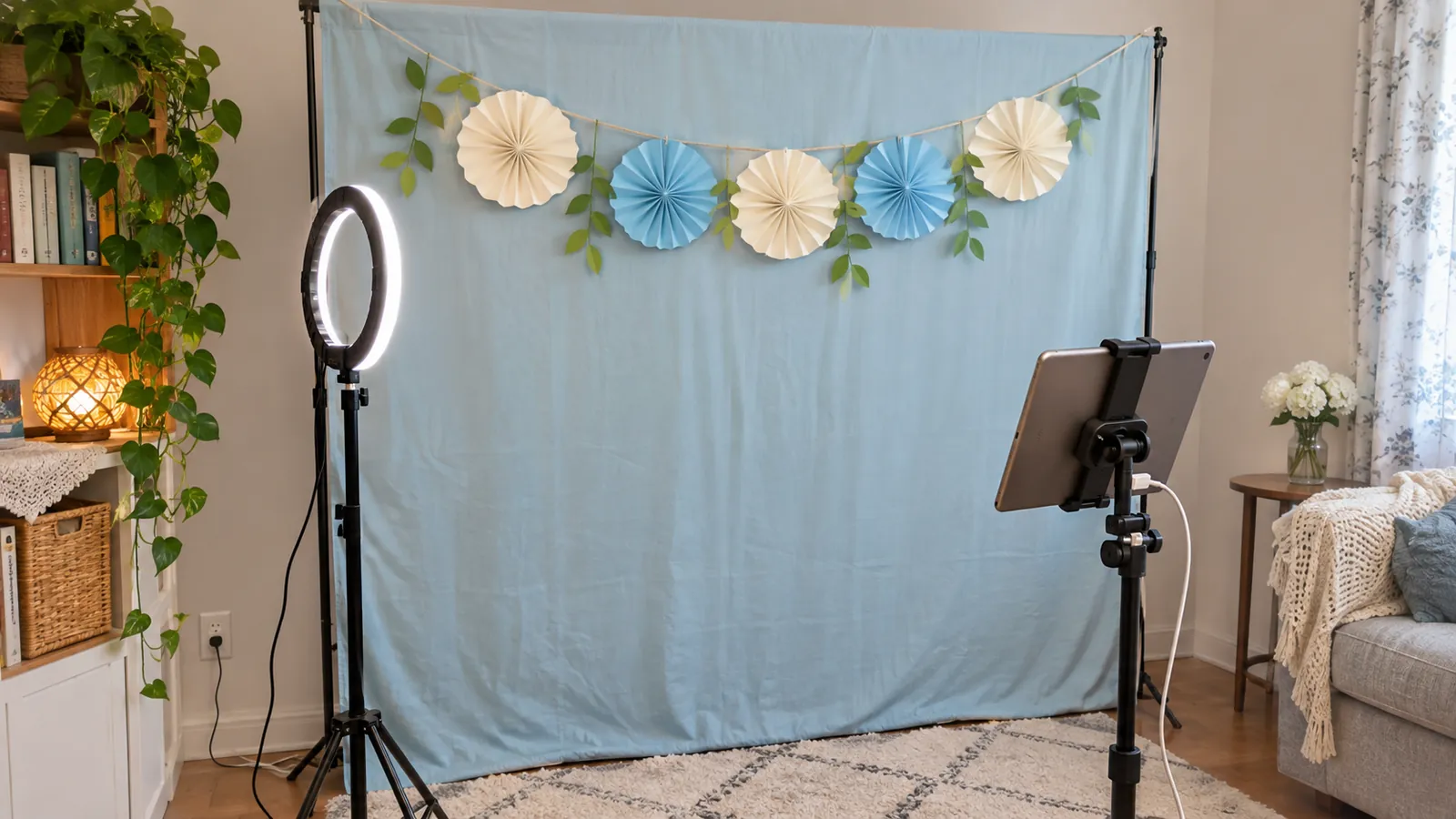
DIY Photo Booth: How to Make One With an iPad
How to make a DIY photo booth: a backdrop, one front light, props and an iPad on a stand. A setup checklist, plus wedding and graduation party ideas.
Photo Booth Printer: Best AirPrint and DNP Picks for iPad
Which photo booth printer works with an iPad? DNP dye-sub and AirPrint photo printers compared on speed, cost per print, 2x6 strips and setup.