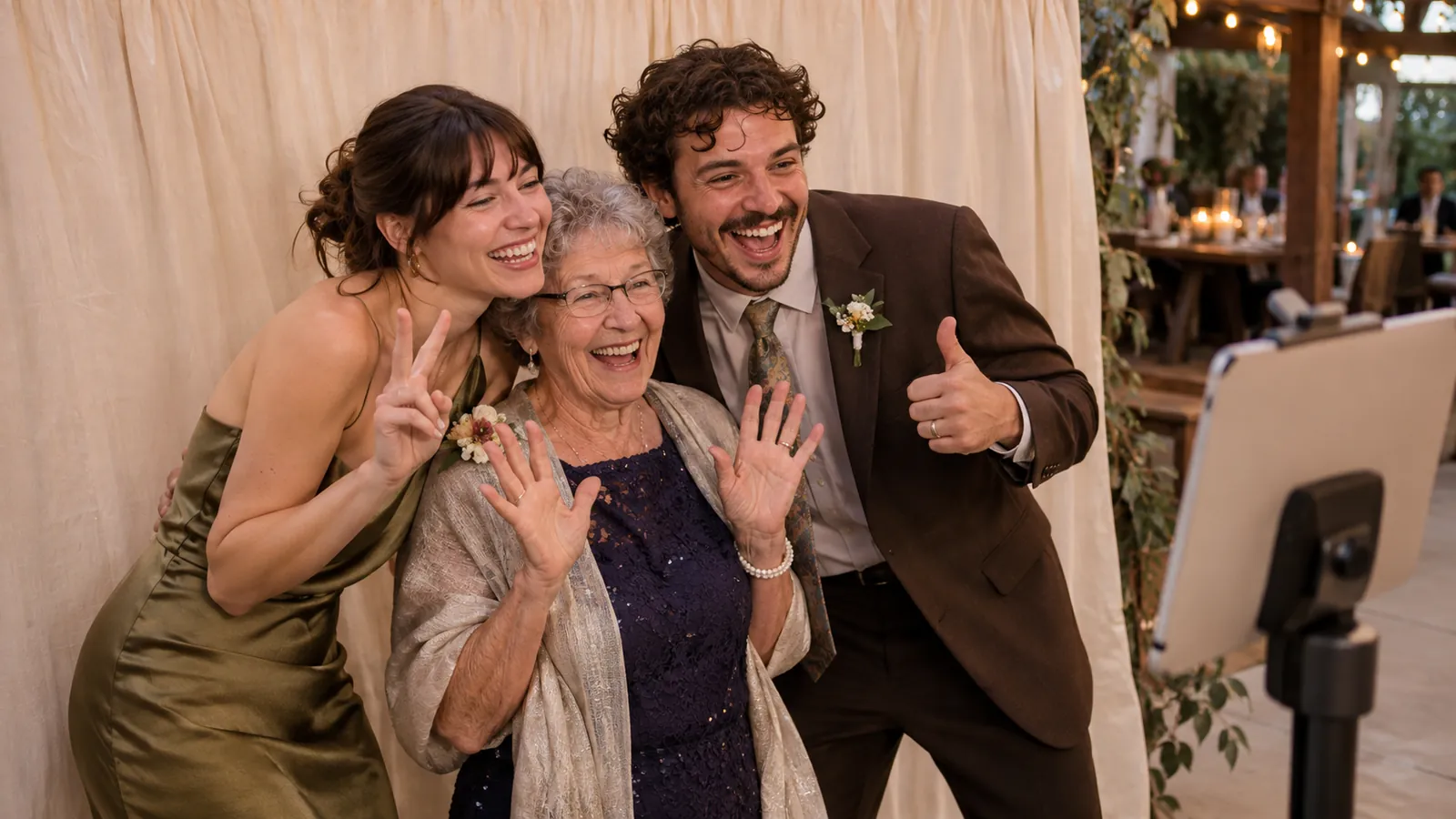
The best photo booth printer for an iPad booth is one your iPad can reach over AirPrint. That gives you two choices:
- An AirPrint photo printer such as the Canon SELPHY CP1500: about $160, simple, but slow (about 40 seconds or more per 4x6) and roughly 30 to 50 cents a print. Good for birthdays and small parties.
- A DNP dye-sub printer such as the DS620A or DS-RX1HS: about $700 to $1,000, a 4x6 in about 8 to 13 seconds, and about 14 to 17 cents a print. Widely used by photo booth businesses, for weddings and busy events. DNP printers do not support AirPrint, so they need an AirPrint print server such as DNP's WCM Plus (about $219).
Photo Booth App prints to any AirPrint printer the iPad can see, including a dye-sub printer behind a print server. It does not print over a USB cable yet: direct USB printing to DNP and Citizen printers is in development and coming soon, once Apple approves it.
Photo booth printers compared
Speed and capacity
| Printer | 4x6 speed | Prints per roll | 2x6 strips |
|---|---|---|---|
| DNP DS620A (6" dye-sub) | About 8.3 s | 400 | Yes, cut by the printer |
| DNP DS-RX1HS (6" dye-sub) | About 12.4 s | 700 | Yes, cut by the printer |
| DNP QW410 (4.5" dye-sub, portable) | About 19 s | 150 | Not listed by DNP |
| DNP DS820A (8" dye-sub) | About 29 s per 8x10 | 130 (8x10) | No |
| Canon SELPHY CP1500 (compact, AirPrint) | About 41 s (glossy) | 108 per ink and paper pack | Cut by hand |
Price and cost per print
| Printer | Typical price | Cost per 4x6 |
|---|---|---|
| DNP DS620A | About $995 | About 16 to 17¢ |
| DNP DS-RX1HS | About $695 | About 14 to 15¢ |
| DNP QW410 | About $589 | About 25¢ |
| DNP DS820A | About $1,295 | About 73¢ per 8x10 |
| Canon SELPHY CP1500 | About $160 | About 30 to 50¢ |
| DNP WCM Plus print server (for DNP) | About $219 |
Speeds and roll counts are from DNP and Canon; prices are typical 2026 US listings and change often.
Which printer for which event?
Birthday, family party or small DIY booth: a Canon SELPHY CP1500. It connects over Wi-Fi with AirPrint, needs no extra box, and fits on a side table. Plan for the queue: at about 40 seconds or more a print, a busy group of guests will wait. Keep QR sharing on so nobody has to.
Wedding or party with 100+ guests: a DNP DS620A or DS-RX1HS with a WCM Plus print server. The DS620A is the faster of the two and lighter (about 26 lb). The DS-RX1HS is cheaper to buy and to run, and its 700-print media set means fewer roll changes on a long night.
Portable or mobile booth: the DNP QW410. It weighs about 13 lb, half the DS620A, and prints 4x6 and 4.5x8. It is slower (about 19 seconds a print) and holds 150 prints per roll.
Large prints: the DNP DS820A prints 8x10 and 8x12, but at about 29 seconds per 8x10 it is a keepsake printer, not a high-volume booth printer.
The photo booth cost guide shows how a printer changes the budget of a DIY booth compared with a rental.
How an iPad prints to a DNP printer
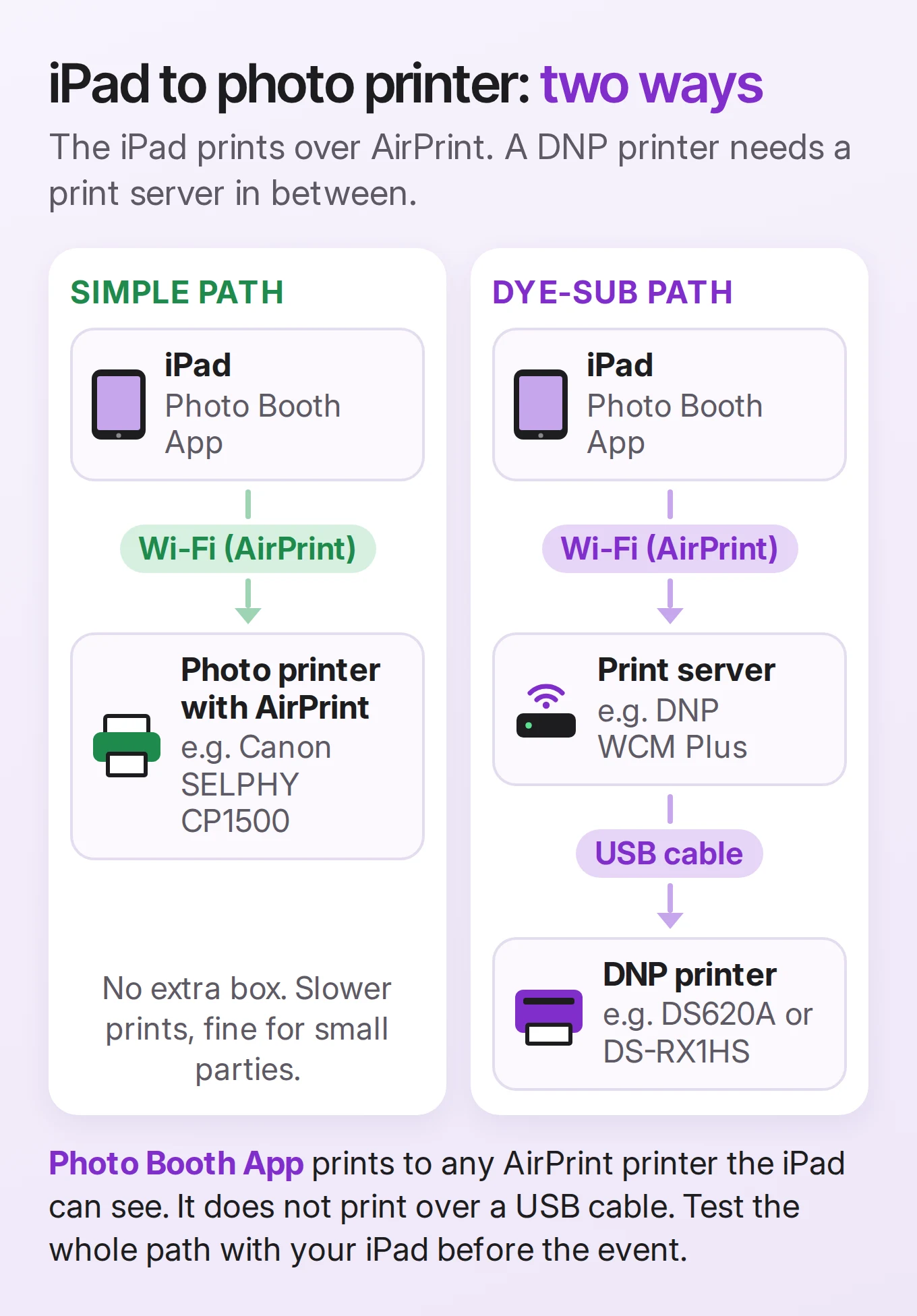
iPads and iPhones print over AirPrint, Apple's wireless printing system. They have no drivers for dye-sub printers, and DNP printers connect by USB, not AirPrint. The usual fix is a small print server:
- Connect the DNP printer to the print server by USB.
- Put the iPad and the print server on the same network (the WCM Plus can also make its own Wi-Fi hotspot).
- The printer now shows up in the iPad's AirPrint printer list, with its print sizes.
DNP WCM Plus is DNP's own print server. It supports the DS620A, DS820A, QW410, DS-RX1HS, DS40 and DS80, connects up to three printers by USB, and offers AirPrint/IPP printing from iPhones and iPads running iOS 14 or later. It sells for about $219. Third-party boxes such as AirCastPro also bridge AirPrint to several dye-sub brands.
Two tips from DNP's own WCM Plus guide: match your template to the print's aspect ratio (2:3 for a 4x6), and test a print from your booth app, because a mismatch can cause white borders or cropping.
Coming soon: print straight over USB
Direct USB printing is in development in Photo Booth App: plug a DNP or Citizen printer into the iPad with a cable and print, with no print server in between. It is built and waiting for Apple's approval, and I will update this guide as soon as it is in the App Store.
I have not tested every print server with every printer. Whatever you choose, run a full test with your iPad, the exact template and the paper you will use at the event. If a print from the Photos app works but a print from the booth does not, contact me with the printer, the print server and your iOS version.
Photo strips: 2x6 on a 4x6 printer
A classic photo booth strip is 2x6 inches. Dye-sub printers like the DS620A and DS-RX1HS make strips by printing a 4x6 sheet with two strips side by side and cutting it in half, when the printer is set to its strip-cut (2-inch cut) mode. With a print server, check that it offers the 2x6 or cut option for your printer before the event.
In Photo Booth App, choose a 2x6 strip template and turn on Two Strips Per Print in the event's Print settings: the app puts two identical strips on one sheet, so one guest can keep a strip and leave the other in the guest book. On a printer without a cutter, such as the SELPHY, cut the sheet by hand. The print size guide explains 4x6 cards, strips and safe areas.
Print settings in Photo Booth App
- Select Printer: pick the AirPrint printer once, so guests are never asked to choose.
- Auto Print on Open: every session prints by itself when the sharing screen appears.
- Two Strips Per Print: two identical 2x6 strips on one sheet, for strip templates.
- Paper that matches your template: since version 1.20, AirPrint prints use paper that matches your template size, so a 4x6 print fills 4x6 photo paper instead of printing in one corner of a full page.
Guests can also tap Print on the sharing screen, next to the QR code, AirDrop, email and text options. Printing works with the free first event too. See AirPrint printing for the feature and the printing guide for the step-by-step setup and troubleshooting.
Before the event: printer checklist
- Use the same iPad, template, paper and print server you will use on the day.
- Put the iPad and printer (or print server) on the same network, and test on the network you will use. Some venue guest Wi-Fi blocks devices from finding each other.
- Print three full sessions to check orientation, borders, cutting and how long each print takes.
- Bring a spare roll or pack of paper: a DS620A roll is 400 4x6 prints, a SELPHY pack is 108.
- Put the print tray beside the booth, not in front of the camera, and ask one person to check it every hour.
- Keep digital sharing on, so guests still get their photos if the paper runs out.
The DIY photo booth guide covers the rest of the booth: backdrop, light, props and the iPad setup.
A good printer turns a photo booth into something guests take home. Pick the one that fits your event, test it with your iPad before the day, and keep a spare pack of paper close by.
Download Photo Booth App and print a test strip before the event. Your first event is free.
If you print with Photo Booth App, I would love to hear which printer you used and how it went. Your feedback helps me improve the app, printing included.
Thank you for reading. 📸
Manuel Escrig
FAQ
What is the best printer for a photo booth?
For a busy event, a DNP dye-sub printer: the DS620A is the fastest all-rounder (about 8.3 seconds per 4x6) and the DS-RX1HS is the cheapest per print with 700 prints per media set. For a small party with an iPad booth, an AirPrint photo printer such as the Canon SELPHY CP1500 is enough, as long as guests do not mind waiting about 40 seconds or more per print.
Can an iPad print to a DNP photo booth printer?
Not directly over Wi-Fi: DNP printers do not support AirPrint. Connect the printer to an AirPrint print server such as DNP's WCM Plus, which supports the DS620A, DS-RX1HS, QW410, DS820A, DS40 and DS80, then pick it from the iPad's printer list. Test the exact print size with your booth app before the event.
What printer works with an iPad photo booth?
Any printer your iPad can see over AirPrint. That includes AirPrint photo printers such as the Canon SELPHY CP1500, and dye-sub printers connected through an AirPrint print server. Photo Booth App prints to AirPrint printers. Printing over a USB cable to DNP and Citizen printers is in development and coming soon.
What is a DNP photo booth printer?
DNP is a Japanese maker of dye-sublimation photo printers that are widely used by photo booth companies. Models such as the DS620A, DS-RX1HS and QW410 print a 4x6 in about 8 to 19 seconds from large media rolls, and the DS620A and DS-RX1HS can cut 4x6 media into 2x6 photo strips.
How much does it cost per print?
About 14 to 17 cents per 4x6 on a DNP DS-RX1HS or DS620A, about 25 cents on a QW410, and roughly 30 to 50 cents on a Canon SELPHY CP1500 with its ink and paper packs. Prices change, so check current media prices.
Can a photo booth printer print 2x6 photo strips?
Yes. Dye-sub printers like the DNP DS620A and DS-RX1HS can cut a 4x6 sheet into two 2x6 strips when set to their strip-cut mode. In Photo Booth App, turn on Two Strips Per Print to put two identical strips on one sheet. On a printer without a cutter, cut the sheet by hand.
Sources
- DNP, DS620A vs DS-RX1HS, DS620A vs QW410 and WCM Plus, with the WCM Plus user guide.
- Imaging Spectrum, photo printer comparison (prices and cost per print), updated March 13, 2026.
- Canon USA, SELPHY CP1500.
- Simple Booth, printing with dye-sublimation printers.
Try it at your next event
Download Photo Booth App on your iPhone or iPad, create an event, and test the guest flow before people arrive. Your first event is on us.
Manuel Escrig
Manuel is the creator of Photo Booth App and GoInspired LLC. He builds the iPhone, iPad, web, and event-gallery pieces behind the product. Read more about me
 Share on Facebook
 Share on X
Keep reading
All posts
Photo Booth Cost: Rental Prices vs a DIY iPad Booth
How much does a photo booth cost? Rentals typically run $450 to $1,000 per event, more for weddings. See prices per hour and what a DIY iPad booth costs.
DIY Photo Booth: How to Make One With an iPad
How to make a DIY photo booth: a backdrop, one front light, props and an iPad on a stand. A setup checklist, plus wedding and graduation party ideas.